Contributing
Ready to contribute? Your contributions are very much welcomed and credit will be given. These Guidelines will help you effectively contribute to this project and guide you to successfully merged Pull Requests.
If you haven't contributed to an Open Source project before, these Guidelines may feel intimidating. Consider taking my online course How to contribute to an Open Source Project.
Here's how to set up github_commit_status for local development.
Getting Started!
Docker Setup
For a quick set-up, without having to install much:
cd <to the repo directory>
docker image fetch glenjarvis/github_commit_status:latest
docker run --rm -it -v $(pwd):/mnt/repo glenjarvis/github_commit_status bash
source venv/bin/activate
In another window, you can use any text editor that you want while running python commands in the running docker container.
I am just starting to convert to a Docker setup, so feel free to report any problems and/or sugestions regarding the above.
Local Setup
For a more traditional stup:
This repository is in standard wheel format so it can be used like a normal Python Package. However, if you follow these instructions, you can avoid having your python environment look like this:
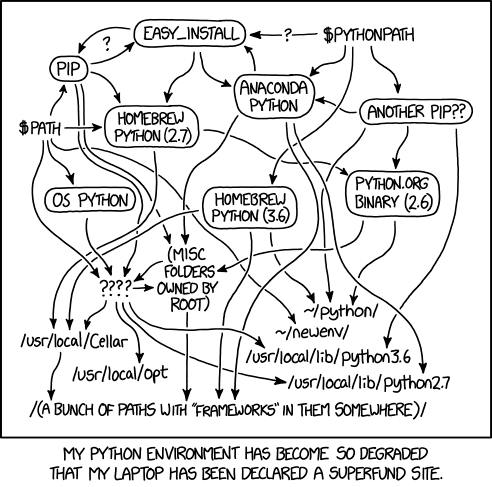
If you need help with background knowledge, see online training video: https://GlenJarvis.com/v/virtual-environments.
-
Find a place to work:
$ cd path_where_you_want_this_repo -
Clone the project:
$ git clone https://github.com/glenjarvis/github_commit_status.git $ cd github_commit_status -
Make a virtualenv named venv for your Python environment of choice:
$ python3 -m venv venv -
Activate the Virtual Enviroment. Every time you come back to work on this project, you will need to activate your virtual environment:
$ cd path_of_this_repo
$ source venv/bin/activate
When the Virtual Environment is activated, you should see
venvin the prompt. It may look something to this:(venv) $I often like to be able to jump to this folder quickly from anywhere and have it automatically setup my virtual environment. So, I put something like this in my
$HOME/.bashrc(or equivalent) file:function cd_github_commit_status { deactivate 2> /dev/null cd /FULL_PATH_TO_THIS_DIRECTORY source venv/bin/activate } -
Ensure you have a version of pip less than version 25.3 (until a pip-tools bug is fixed):
(venv)$ pip install "pip<25.3"
(See Project Documentation for an explanation of the pip version constraint.)
-
Install the project with development dependencies using Hatch:
This project uses pip-tools for dependency management. Install the project in editable mode with development dependencies:
(venv)$ pip install -e ".[dev]"Alternatively, if you prefer locked versions of all dependencies:
(venv)$ pip install -r requirements/development.txt -
(optional) Install the Git Hooks. Git Hooks are a way of running code locally against your commits before you make them. Often this can catch errors before they are pushed to GitHub.
To install the GitHook:
$ make git-hookIf you are having a difficult time making the commit and want to over-ride the behavior in the hook ("Just do it anyway"), you can do this:
$ git commit --no-verifyIf it is getting in your way and you want to remove it (you can always put it back), do this:
$ make hooks-go-away -
Check out a topic branch and begin working.
Extra Code Style
-
Functions and methods should be as short as possible, breaking concepts into smaller functions/methods whenever possible.
-
The pull request should work for Python 3.5, 3.6, 3.7, 3.8, and for PyPy. When you push to GitHub, we will check this for you. If you want to test it yourself, either run tox locally, or check https://travis-ci.org/glenjarvis/github_commit_status/pull_requests and make sure that the tests pass for all supported Python versions:
$ tox
-
Follow the Zen
The Zen of Python, by Tim Peters

Beautiful is better than ugly.
Explicit is better than implicit.
Simple is better than complex.
Complex is better than complicated.
Flat is better than nested.
Sparse is better than dense.
Readability counts.
Special cases aren't special enough to break the rules.
Although practicality beats purity.
Errors should never pass silently.
Unless explicitly silenced.
In the face of ambiguity, refuse the temptation to guess.
There should be one-- and preferably only one --obvious way to do it.
Although that way may not be obvious at first unless you're Dutch.
Now is better than never.
Although never is often better than *right* now.
If the implementation is hard to explain, it's a bad idea.
If the implementation is easy to explain, it may be a good idea.
Namespaces are one honking great idea -- let's do more of those!
Tips and Tricks
-
TravisCI will run tests against your pull requests and catch test errors: https://travis-ci.org/glenjarvis/github_commit_status/pull_requests
-
The pull request should work for Python 3.5, 3.6, 3.7, 3.8 and for PyPy. Running
toxlocally will help catch errors across versions of Python and make sure that the tests pass for all supported Python versions:$ tox
-
Commits should follow the seven rules of a great Git commit
Pull Request Guidelines
Please keep a good Git hygiene in your contribution. Not everyone knows how to use a Source Control Management system like Git properly. We're here to help.
Guidelines
- Use a different topic branch for each topic
- Keep commits small
- Rebase topic branches (i.e., Don't merge main back into topic)
- Use proper commit message
Code of Conduct
We value the participation of each member of the Open Source community and want all contributors and consumers of this project to have an enjoyable and fulfilling experience. Accordingly, all contributors are expected to show respect and courtesy to other contributors and community members working within this project.
To make clear what is expected, all communication around this project by all contributing members (including Glen Jarvis) are required to conform to the Python Packaging Authority Code of Conduct.